
Give Your Agent Video Editing Superpowers
Turn your OpenClaw into an autonomous video editor. Upload videos, apply presets, and process bulk edits directly from your terminal.
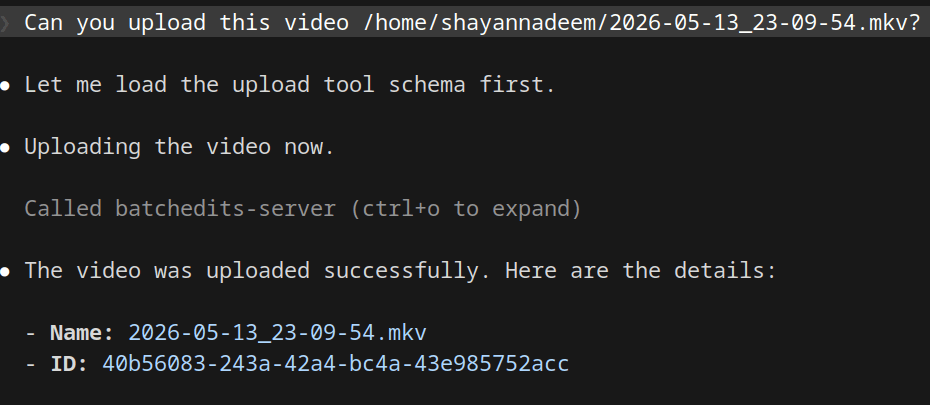
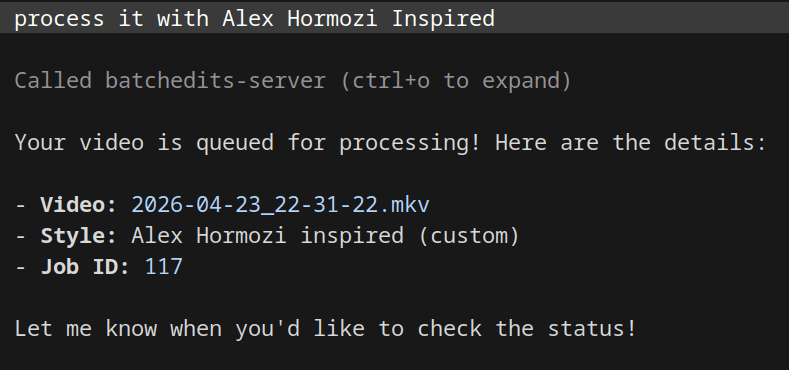
Just tell your agent what to do
No dashboards. No complicated settings. Just a conversation.
Upload my latest vlog video at /Users/me/Downloads/vlog.mp4
Done. Your video has been uploaded to BatchEdits and is ready for editing.
List all my available editing styles
You have 3 available styles: Cinematic, TikTok Viral, and YouTube Standard.
Apply the TikTok Viral style and queue it for processing.
Queued! Your video is now being processed in the background. You'll be notified when it's ready.
Setup in 3 Steps
Get up and running in under a minute.
Generate OAuth Credentials
Sign up and generate an OAuth Client token from your workspace settings.
SettingsInstall the Skill
Run the OpenClaw skill install command in your terminal.
Start Automating
Provide the OAuth token to your agent when prompted, and start editing videos!
openclaw skills install @chuckwhisler/batcheditsEverything you need, right in chat
Our OpenClaw integration exposes the core bulk editing workflow to your AI.
Upload Videos
Pass local file paths directly to the AI, and it will upload them securely to your BatchEdits workspace.
Fetch Styles
The AI can instantly retrieve your custom editing styles and parameters from your account.
List Videos
Ask your AI to check the status, duration, and details of all your previously uploaded videos.
Queue Processing
Link a video to a specific style and dispatch it to the background processing queue with one prompt.
Plans to match your growth
Choose the plan that best fits your batch video editing needs.