
How to Edit Multiple Videos at Once (Batch Edit Guide)
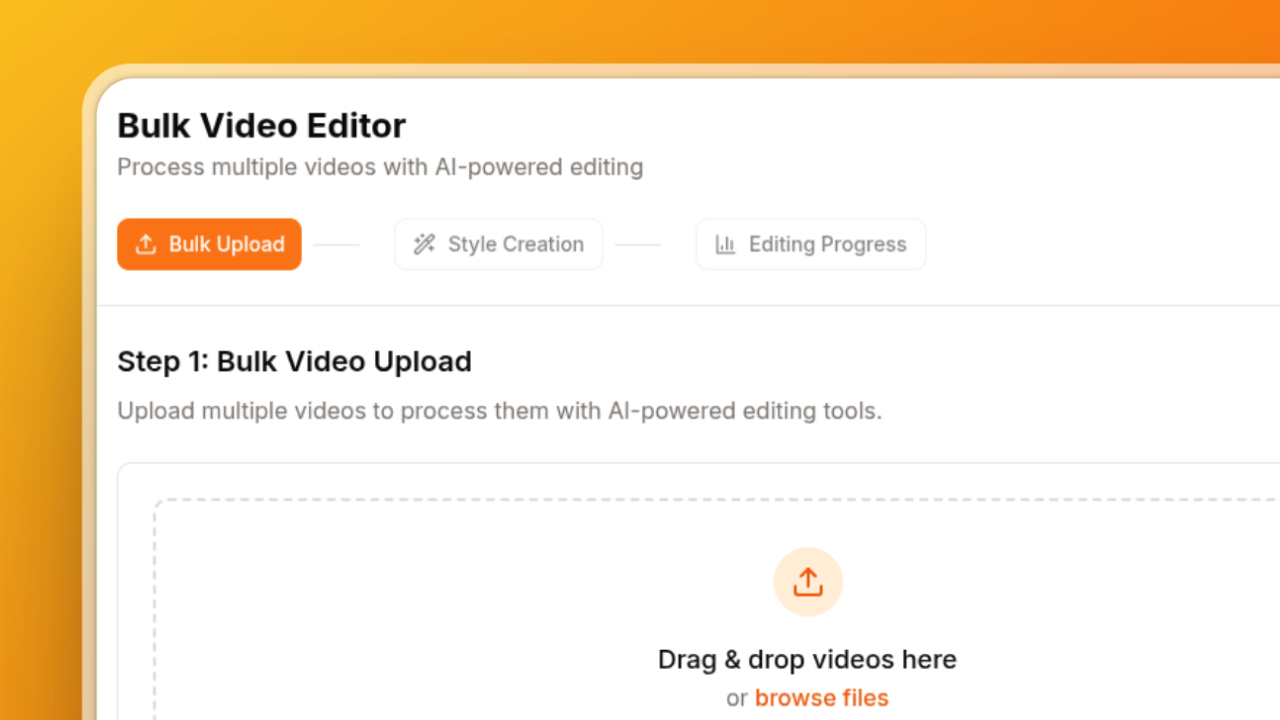
To edit multiple videos at once, use a batch video editor: upload all your clips, choose one set of edits (captions, silence removal, a 9:16 crop, zooms), and process them together instead of opening each file in a timeline. In BatchEdits you save those edits as a style, upload the batch, and every video comes back edited the same way.
If you post short-form video every day, this is the difference between an afternoon of editing and a few minutes of setup.
How to edit videos in bulk with AI (step by step)
- Upload your clips. Drag in a folder of raw videos (MP4, MOV, screen recordings) in the bulk video editor. There's no batch limit: select up to 50 files at a time and keep adding.
- Pick your edits once as a style:
- Auto captions in 99+ languages, with your font, colours and highlight effect.
- Silence removal with an adjustable threshold, so pauses go without cutting words in half.
- Crop to ratio: 9:16 for Shorts, Reels and TikTok, fitted to each video's size.
- Zoom on key moments: AI picks the key sentences and zooms in while they're spoken.
- AI clips: turn long videos (podcasts, webinars) into short clips of their best moments.
- Check the captions in the caption editor if you want to fix a name or a word before export.
- Process the batch. Every video is edited in parallel with the same style.
- Download everything at once, or export XML to finish a video in Premiere Pro or DaVinci Resolve.
Save the style and next week's batch is two clicks.
What "AI" does in a bulk video editor
AI handles the repetitive judgement calls that used to need a person per video:
- Transcription turns speech into word-timed captions.
- Silence detection finds dead air and cuts it without clipping words.
- Key-moment detection picks the strongest sentences to zoom on, or the strongest moments to turn into clips.
You still make the creative decisions once (the look, the crop, the pacing), and the tool applies them to every video.
Ways to edit multiple videos at once
| Method | How it handles many videos | Best for |
|---|---|---|
| BatchEdits | One style applied to a whole batch in one run | Creators and teams posting short-form video at volume |
| Premiere Pro / DaVinci Resolve | Edit each timeline (templates help), then batch export | Hand-crafted edits where every video is different |
| CapCut | One project per video | Quick one-off edits, especially on mobile |
| FFmpeg scripts | Batch processing from the command line | Developers comfortable writing scripts |
Batch export (as in Premiere Pro) isn't batch editing: the captions, cuts and crops are still done per video. The time saving comes from applying the edits themselves to the whole batch.
Tips for batch editing that looks hand-edited
- Film consistently. Same framing and lighting across a batch means one style fits every clip.
- Test two videos first. Process one or two, check them on your phone, then run the rest.
- Keep one style per series or client so every batch matches the last one.
- Leave room for a hand edit. Send the one or two videos that need extra polish to your timeline editor.
Got Questions? We've Got Answers.
Can you edit multiple videos at once in Premiere Pro?
You can batch export in Premiere Pro, but captions, silence cuts and crops are still done on each timeline. A batch editor applies those edits to every video in one run.
Is there a free way to batch edit videos?
Yes. BatchEdits gives you 3 free videos with no credit card (1 in the live demo, 2 after signing up), with a small watermark. The 7-day free trial adds 7 more videos without a watermark, and the Creator Starter plan is $20 a month for 30 videos.
How do I add captions to multiple videos at once?
Turn on auto captions in your style, upload the batch and process it. Every video gets word-timed captions in the same look. See how to add captions to multiple videos at once.
How do I crop multiple videos to 9:16 at once?
Add Crop to ratio (9:16) to your style. Each video is cropped to vertical, fitted to its own size. See how to crop multiple videos to vertical.
Can I turn one long video into several short clips?
Yes. AI clips picks the best moments from a long video and cuts each into its own clip, with your style applied. Clips are saved in a folder named after the video.
Edit 3 videos free, no card needed.
Keep reading
How to Repurpose Long Videos into Shorts (Podcasts, Webinars, Streams)
The best way to repurpose long videos into Shorts is to let AI pick the strongest moments from the transcript, cut each into its own clip, then captio...
Best Video Editor for Content Agencies: Editing Client Videos at Scale
The best video editor for a content agency depends on the work: Premiere Pro or DaVinci Resolve for crafted, one-off edits, and a batch editor like Ba...