
Batch Video Editing: What to Look For in a Bulk Video Editor (Features, Limits, Pricing)
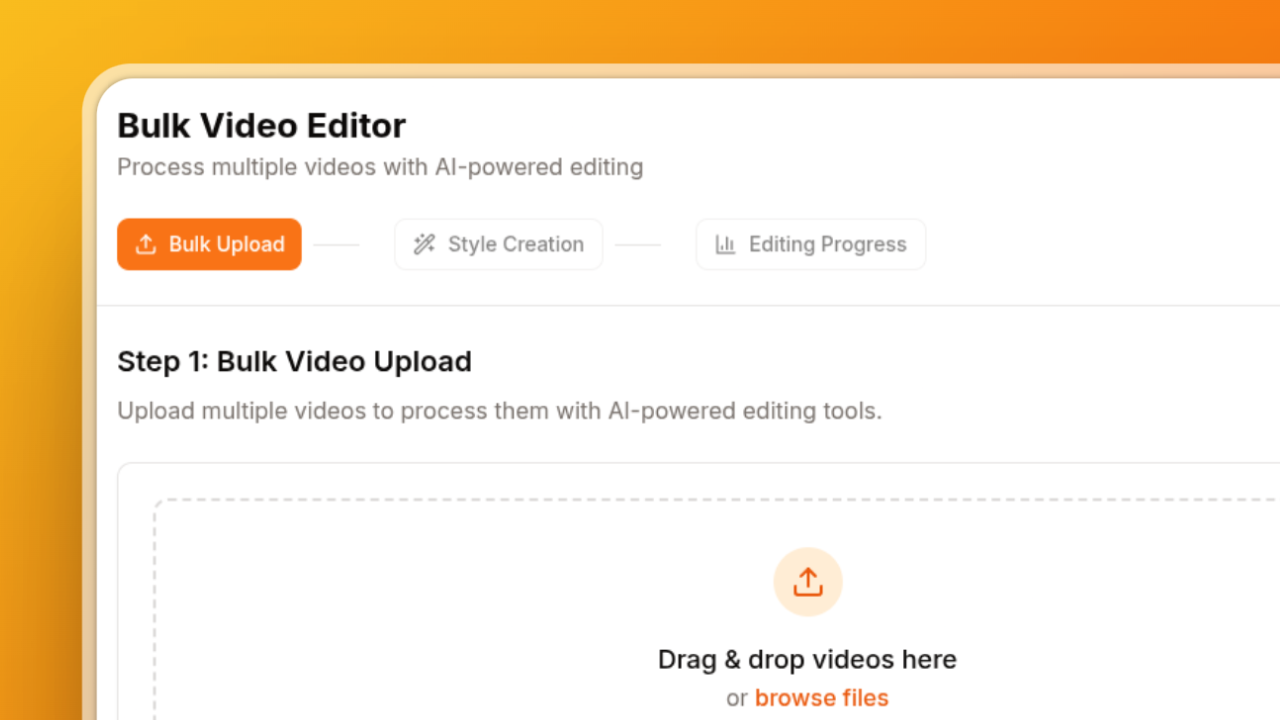
Batch video editing means applying the same edits to many videos in one pass instead of opening each file in an editor. If you post short-form video every day, it's the difference between editing for hours and editing for minutes.
This guide answers the questions creators actually ask before choosing a batch video editor: what features matter, which plan limits to check, and how to get through 50 videos in an afternoon.
What is batch video editing?
Batch video editing is processing a group of videos with one set of edits — captions, silence removal, cropping, zooms — so every video comes out with the same look. You set the style once, upload the batch, and the editor applies it to every file in parallel.
It's different from bulk exporting in a traditional editor, where you still edit each video by hand and only the final render is batched.
What should you look for in a batch video editor?
Look for these six things. If a tool is missing the first two, it isn't really a batch editor.
- Multi-file upload and parallel processing. You should be able to upload a whole folder (10, 30, 50 videos) and have them processed at the same time, not queued one after another.
- Reusable style presets. One saved style — caption font and colors, silence threshold, crop, zooms — applied to every video, so a whole batch stays on-brand.
- Accurate auto captions in your language. Word-level timing, editable text before export, and support for the languages you post in.
- Silence removal and 9:16 cropping. These are the two edits that take longest by hand for Shorts, Reels and TikTok.
- Bulk download or export. Get every finished video at once, or send them to Premiere Pro or DaVinci Resolve for finishing touches.
- Clear limits. Videos per month, maximum file size, whether the free tier adds a watermark, and whether captions or cropping cost extra.
Which plan features matter to avoid limits?
Before paying, check these limits on the plan you're considering:
- Videos per month. Most tools meter by video or by minute. Estimate your weekly volume and multiply by four.
- Videos per batch. Some tools say "bulk" but only let you process a few at a time.
- Watermark on free or trial plans. Fine for testing, not for posting.
- File size and length limits. Matters if you batch long podcast episodes or webinars.
- Feature gating. Make sure captions, silence removal and cropping are all included, not sold as add-ons.
For reference, BatchEdits lets you edit 3 videos free with no card (with a small watermark), then offers a 7-day trial with 7 more videos and a plan with 30 videos per month — every editing feature is included on every plan.
How do you edit 50 videos quickly?
Here's the workflow that gets a week of short-form content done in one sitting:
- Collect the raw clips in one folder — talking-head recordings, podcast segments, product videos.
- Create one style with your captions, silence removal and 9:16 crop. Save it so you can reuse it every week.
- Upload the whole batch (up to 50 videos in BatchEdits) and apply the style to all of them.
- Spot-check a few videos — tweak caption text or crop on any that need it.
- Download everything at once and schedule your posts.
The slow part of editing is repetition. A batch editor removes the repetition; you only make decisions once.
How do you keep branding consistent across many clips?
Use a saved style instead of editing each video. Pick your caption font, colors, highlight style and position once, and apply the same style to every batch. Consistent captions are what make a feed look professional — and they're the first thing that drifts when videos are edited one by one.
Can AI assistants edit videos in bulk?
Yes, if the editor has an MCP server. BatchEdits connects to Claude, ChatGPT and other AI assistants through MCP, so you can say "upload these videos and add captions with my podcast style" in a chat, and the assistant handles the upload, processing and download links. See the MCP setup guide.
What BatchEdits doesn't do
To save you time: BatchEdits doesn't upscale video resolution, generate AI avatars or stock footage, or replace a multi-track editor for cinematic edits. It's built for one job — editing many talking-head and short-form videos fast and consistently.
Which bulk video editor should you choose?
If you edit fewer than five videos a week, a one-at-a-time editor is fine. If you post daily or manage clients, use a tool built for batches. We compared the main options — BatchEdits, Submagic, VEED, Descript and CapCut — in our ranking of the best bulk video editors.
You can try BatchEdits on your own video without signing up.
Got Questions? We've Got Answers.
What is the difference between bulk and batch video editing?
They mean the same thing: applying one set of edits to many videos at once. "Bulk" is more common in marketing, "batch" in software, but both describe processing a group of videos together instead of one by one.
Can I batch edit videos for free?
Yes. BatchEdits lets you edit 3 videos free with no credit card — 1 in the live demo and 2 after signing up. Free videos include a small "Edited by BatchEdits" watermark.
How many videos can I edit at once?
BatchEdits processes up to 50 videos in one batch. How many you can edit per month depends on your plan's credits.
Does batch editing reduce video quality?
No. A good batch editor keeps each video's original resolution and aspect ratio; it only applies the edits you chose.
Can I batch add captions in other languages?
Yes. BatchEdits generates auto captions in 99+ languages. See the full list of caption languages.
Keep reading
How to add captions to multiple videos at once
How to add captions to multiple videos at once — add captions to multiple videos A backlog of add captions to multiple videos at once — add captions...
How to Edit Multiple Videos at Once (Batch Edit Guide)
How to Edit Multiple Videos at Once (Batch Edit Guide) Direct answer: To edit multiple videos at once, use a batchedits that runs one job across the...